
Reports Owner only
Reports are visible only to the owner: the Reports button at the bottom. Staff do not have this button — they have Repairs instead.
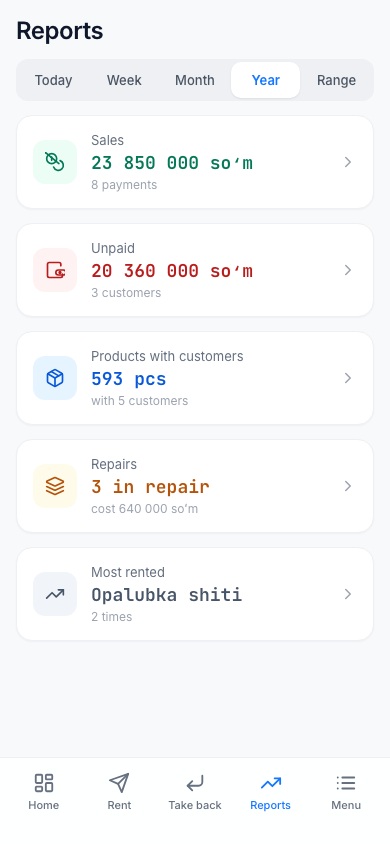
Choosing the period
The buttons at the top set the report period: Today, Week (last 7 days), Month (last 30 days), Year (last 365 days) or Range — dates you choose yourself. In a range, the start date must be before the end date: "The start date must be before the end date".
The screen has five report cards. Tap the one you need.
Sales
The Revenue (payments) accepted during the period. There are three views: Staff, Product, Customer — who accepted how much money, and how much revenue came from which product and which customer. Each row shows the revenue and the number of rentals.
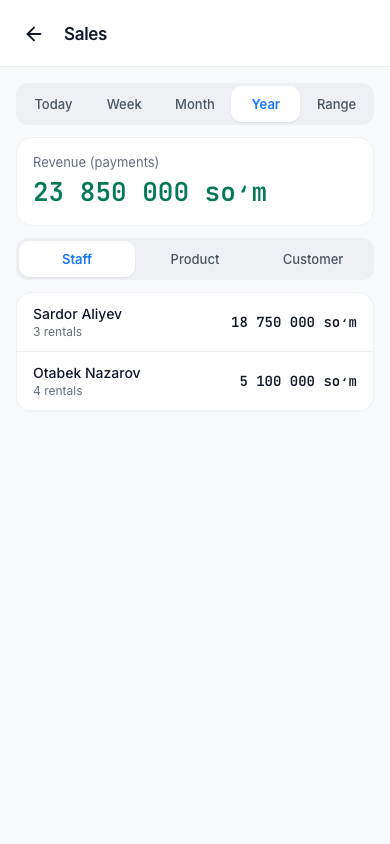
Cancelled payments are not counted. A deposit is not revenue.
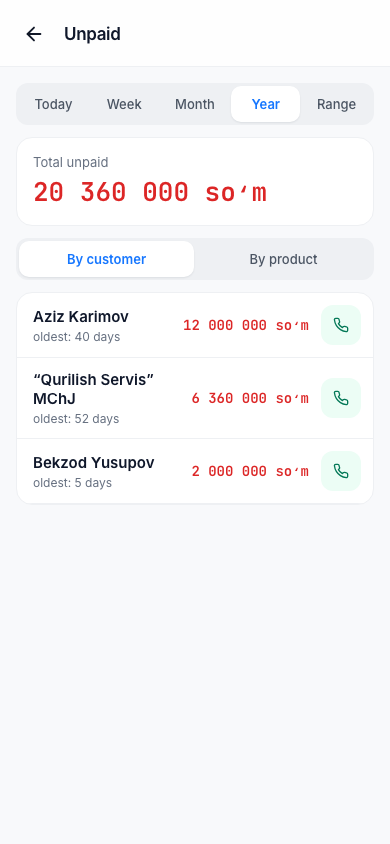
Unpaid
Current debts: Total unpaid and a list. Choose the By customer or By product view. Each row has the debt amount, "oldest: N days" and a call button — you call the debtor from here.
Products with customers
What is with customers right now (Total with customers), grouped by customer. Overdue rows are red.
Repairs report
Repair cards by stage, the Average repair time, the Total cost and the breakdown By master (cards with no master assigned — Unassigned).
Most rented
The products rented out most during the period: how many times ("N times"), how many items and how much revenue. If there were no rentals in the period: "No rentals in this period".
Tip
In the computer panel, you can download a report table as a CSV file: Using the computer.